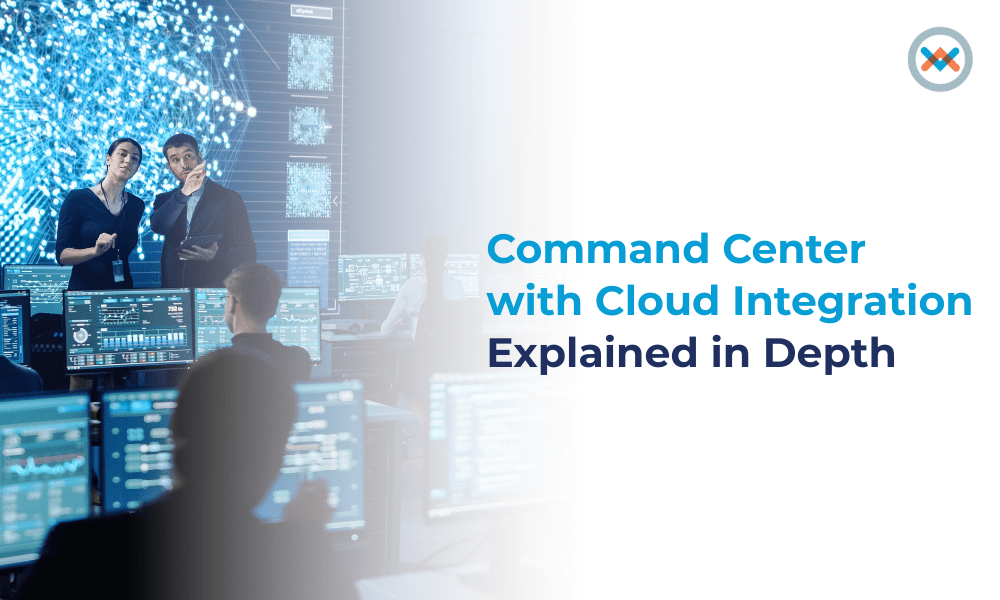

A command center is where teams keep an eye on systems, spot issues early, and decide what to do when something goes wrong. In many organizations, it plays a key role in keeping services running and avoiding major disruptions.
That role is only getting bigger. According to research by Coherent Market Insights, the operations command center market is expected to grow from US$ 33.17 billion in 2025 to US$ 48.57 billion by 2032, with a compound annual growth rate (CAGR) of 5.6%. This growth reflects how much organizations now rely on centralized visibility and coordinated response.
At the same time, IT environments themselves are becoming more complex. Systems are no longer located in one place. Some run in the cloud, others stay on-premises, and many operate across both. Because of this shift, command centers are no longer just physical rooms. They are evolving into cloud-integrated platforms that teams can access and depend on from anywhere.
What Is a Command Center?
A command center is a central place where teams monitor systems and coordinate responses when issues happen. Its main purpose is to help teams see what is going on in real time. When something breaks, slows down, or behaves strangely, the command center helps teams notice it early and act quickly.
Command Center vs Control Center
People often mix these terms up, and that’s understandable. A control center is usually about direct control. Changing configurations, managing physical systems, and adjusting infrastructure.
A command center is more about coordination. It focuses on understanding what’s happening, deciding what needs to be done, and making sure the right people respond. In modern IT, command centers don’t try to control everything directly. They connect information, teams, and actions.

How It Works
A command center isn’t one tool. It’s a setup. A system of systems.
Data Collection and Visibility
Everything starts with data — and there’s usually a lot of it. Servers, applications, networks, and security tools are constantly sending logs, metrics, and alerts.
A command center pulls all of that into one place so teams don’t have to jump between dashboards just to understand what’s going on. Instead of guessing where a problem started, they can see system health, performance trends, and warning signs side by side.
It sounds simple, but having one clear view often makes the difference between reacting late and responding early.
Real-Time Monitoring
Command centers watch systems all the time. Not just when something breaks.
When unusual behavior appears, alerts are triggered. But good systems don’t spam teams with noise. They focus on what actually matters. The goal isn’t more alerts, it’s better alerts.
Incident Coordination
When something goes wrong, the command center becomes the reference point. Teams use it to:
- Understand what’s happening
- Share the information
- Decide who does what
- Track progress
This avoids chaos, duplicated work, and confusion.
Automation
A lot of actions can happen automatically:
- Tickets can be created.
- Incidents can be routed.
- Response steps can run without manual input.
This doesn’t replace people. It supports them.
Why Cloud Integration Changes Everything
Modern systems don’t live in one place. Some are in the cloud. Some are local. Some are split across regions. Without cloud integration, teams usually end up seeing only parts of the system. One tool shows application data, another shows infrastructure, and another handles security alerts.
That limited view makes it harder to connect the dots. Cloud integration brings those pieces together so teams can understand how systems function as a whole, not just in isolation.
On-Site vs. Cloud-Based
Traditional on-premise command centers are tied closely to physical infrastructure. Capacity is fixed, upgrades take planning, and scaling usually means buying new hardware and maintaining it over time. When needs change quickly, these limits can become a bottleneck.
Cloud-based command centers work differently. They’re easier to expand, simpler to connect with modern cloud services, and more accessible for distributed teams. As demand grows, resources can be adjusted without waiting on new equipment — which makes cloud setups far more practical for fast-moving environments.
That flexibility is not only practical for the majority of organizations nowadays, but also essential.
Hybrid and Multi-Cloud Models
In reality, very few organizations rely on a single environment. Some workloads stay on-premise, others move to the cloud, and many run across multiple providers.
A cloud-integrated command center helps teams keep control in these mixed environments. Rather than requiring teams to manage each environment independently, it creates a single operational layer that operates across platforms.
This method simplifies day-to-day operations and improves the consistency of incident response.

Types of Command Centers
IT Operations Command Center
This type focuses on keeping systems available and performing well. Teams monitor uptime, capacity, application health, and infrastructure performance to make sure services stay reliable.
Security Operations Command Center (SOC)
A SOC is built around threat detection and response. It brings together security alerts, investigation workflows, and response coordination so incidents can be handled quickly and clearly.
Network Operations Command Center (NOC)
A NOC focuses on network stability. It monitors connectivity, traffic patterns, latency, and disruptions to make sure systems stay connected.
Why Organizations Use Cloud-Integrated Command Centers
- They simplify complexity.
- Teams get one source of truth.
- Decisions happen faster.
- Responses are more organized.
- Systems scale more easily.
- Costs are more controlled.
- Security visibility improves.
- Most importantly, teams stop reacting blindly and start responding with context.
Tools Used in a Command Center
In practice, a command center is never powered by a single tool. Teams usually stitch together several platforms — monitoring tools, log management systems, incident trackers, automation workflows, and cloud management services.
The real challenge isn’t picking the “best” tool. It’s making sure those tools can ‘interact’ with each other. When they don’t, teams end up copying data between systems or jumping from screen to screen just to understand one issue. When they do, troubleshooting becomes faster and far less frustrating.
SOC Services by Wowrack
Wowrack works with teams that want security operations to feel less fragmented and easier to manage. By bringing monitoring, visibility, and response processes into one flow, teams can catch issues earlier and react with more confidence — whether systems live in the cloud, on-premise, or across both.
It’s not about piling on more tools. It’s about giving teams clearer insight and better coordination when something actually goes wrong.
Conclusion
These days, a command center is more than just a room with screens. It's how groups remain informed, in sync, and prepared to take action.
Command centers provide organizations with the visibility and coordination they require to function with confidence, even as systems become more complex, thanks to cloud integration. And that kind of clarity will only become more crucial in the future.